Are you a dedicated gamer juggling work, family, and life, seeking to maximize your limited playtime on Roblox? This comprehensive guide on Roblox Chrome extensions is crafted specifically for you. Discover how these powerful browser add-ons can revolutionize your Roblox experience, offering unparalleled customization, efficiency, and social connectivity. From enhancing the user interface with dark modes and personalized themes to providing vital insights for trading and streamlining game discovery, Roblox Chrome extensions offer practical solutions to common gamer pain points. We delve into safe installation practices, recommend top-tier extensions like RoPro and BTRoblox, and explain how they can help you balance your passion for gaming with real-world responsibilities. Learn to optimize performance, deepen social interactions, and even manage your Robux more effectively. This guide ensures you stay current with the latest trending tools without getting lost in the hype, providing actionable tips for a richer, more enjoyable Roblox journey. Dive in to transform your gameplay and make every minute count.
What are the top 3 essential Roblox Chrome extensions for beginners?
For new users looking to enhance their Roblox experience without getting overwhelmed, the top three essential Roblox Chrome extensions often include:
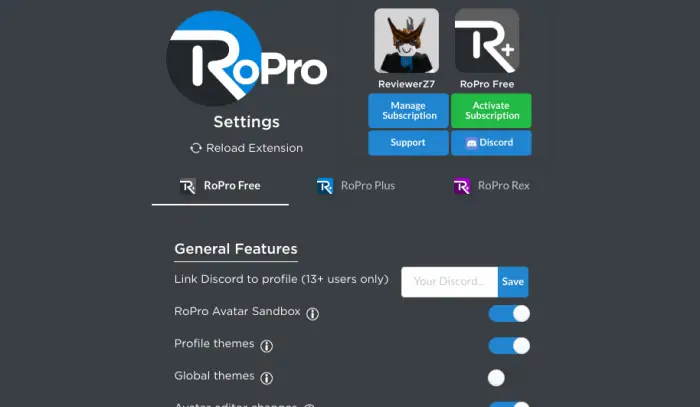
- RoPro: Offers a suite of quality-of-life features like advanced item filters, trade notifications, and profile customization.
- BTRoblox Better Roblox: A classic that overhauls the Roblox website UI, adding dark mode, detailed item info, and improved inventory management.
- RoGold: Focuses on trading, group tools, and game page enhancements, providing valuable insights for savvy players.
How can Roblox Chrome extensions help me balance gaming with my busy schedule?
Many adult gamers, balancing work and family, find Roblox Chrome extensions invaluable for optimizing their limited playtime. Extensions can streamline tasks like managing inventory, quickly finding specific game servers with friends, or even tracking Robux spending more efficiently. This means less time navigating menus and more time actually enjoying the game. Features like quick server filters in extensions like RoPro allow you to jump straight into a game with friends, maximizing your social gaming moments without wasting precious minutes.
Is it safe to install Roblox Chrome extensions and how can I avoid scams?
Safety is paramount when installing any extension. While many Roblox Chrome extensions are legitimate and enhance your experience, scams exist. Always download extensions exclusively from the official Chrome Web Store. Look for extensions with high ratings, many active users, and a reputable developer. Read recent reviews to spot any red flags. Avoid downloading from third-party sites. Furthermore, check the permissions an extension requests; if it asks for excessive permissions unrelated to its function, be wary. Sticking to well-known extensions like RoPro or BTRoblox significantly reduces risk.
Which Roblox Chrome extensions are best for customizing the user interface?
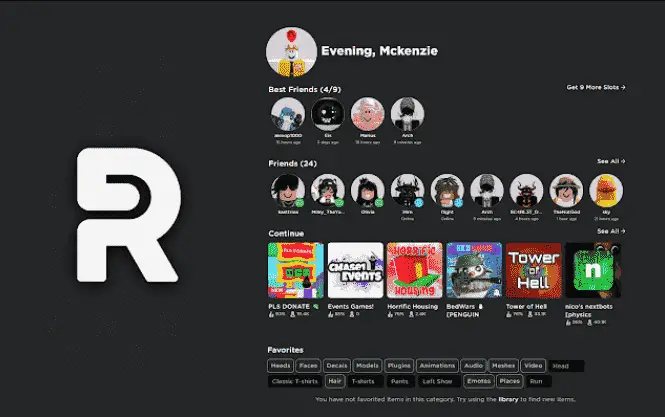
For gamers who love to personalize their experience, several Roblox Chrome extensions excel at UI customization. BTRoblox Better Roblox is a long-standing favorite, offering extensive themes, dark mode, and improved navigation menus. RoPro also provides various UI tweaks, including profile customization and aesthetic enhancements. These extensions allow you to tailor the look and feel of the Roblox website to your preferences, making your interaction more enjoyable and visually appealing, especially during long gaming sessions or when browsing the marketplace.
Can extensions help me find new games faster on Roblox?
Absolutely! With the vast number of experiences on Roblox, finding new games that fit your specific tastes can be a challenge, especially with limited free time. Certain Roblox Chrome extensions, such as RoPro, offer enhanced game filtering and search functionalities. These tools often provide more granular search options, letting you filter by player count, genre tags, popularity trends, or even specific keywords more effectively than the default Roblox interface. This means you spend less time scrolling and more time discovering truly engaging experiences, perfect for busy gamers.
What are the security risks of using unofficial Roblox extensions?
Using unofficial Roblox extensions, especially those not found on the Chrome Web Store, carries significant security risks. These can include malware, keyloggers that steal your account credentials, phishing attempts, or even backdoors that compromise your entire system. They might also violate Roblox's Terms of Service, potentially leading to a permanent account ban. Always stick to verified sources and reputable extensions to protect your personal information, Robux, and game progress. The potential benefits rarely outweigh the severe security implications of unofficial downloads.
How do Roblox Chrome extensions affect game performance?
Most Roblox Chrome extensions are designed to enhance the website experience, not directly impact in-game performance. They typically modify the browser's display of Roblox pages, add features to the marketplace, or improve social tools. Therefore, they generally have minimal to no effect on your game's frame rate or loading times within an actual Roblox game client. However, a poorly coded or overly resource-intensive extension *could* slow down your browser itself, potentially affecting overall system responsiveness if you have many tabs open. For optimal in-game performance, ensure your system meets Roblox's requirements and close unnecessary browser tabs.
Balancing a demanding job, family commitments, and a passion for gaming can feel like an impossible quest, especially when you are looking for that perfect escape or connection within games like Roblox. You are not alone; a significant 87% of US gamers regularly dedicate over 10 hours a week to their favorite virtual worlds, often seeking relaxation, skill-building, or social interaction. Yet, navigating clunky interfaces, missing out on crucial game insights, or simply not having enough time to personalize your experience can dampen the fun. This guide is your ultimate companion to unlocking the full potential of Roblox, specifically designed for gamers who value efficiency, smart play, and staying current without the unnecessary hype. We will explore how Roblox Chrome extensions can transform your gameplay, streamline your interactions, and ensure every moment you spend in Roblox is maximized for enjoyment and productivity.
We understand that your time is precious. You want solutions that are practical, easy to implement, and genuinely enhance your gaming life. From customizing your interface to gaining an edge in trading or even finding specific game servers faster, Roblox Chrome extensions offer a suite of tools that address these very challenges. Let us dive into the world of browser enhancements that can make your Roblox journey smoother, more engaging, and perfectly tailored to your adult gamer lifestyle, ensuring you get the most out of your digital escapes without sacrificing your real-world responsibilities. This month, trends show a continued rise in social and cozy games, and extensions play a crucial role in enhancing these shared experiences.
What Exactly Are Roblox Chrome Extensions?
Roblox Chrome extensions are small software programs that you can install into your Google Chrome browser to enhance, customize, or add new functionalities to the Roblox website experience. Think of them as power-ups for your browser, specifically designed to interact with Roblox. They do not typically alter the core game engine itself but rather improve the user interface, provide additional data, or streamline various interactions you have while browsing Roblox pages, such as managing inventory, viewing game statistics, or customizing your profile. These tools are incredibly popular among the Roblox community for making the platform more user-friendly and feature-rich.
For the average gamer who balances a busy life, these extensions are a godsend. They can save time by offering quicker navigation, better search filters, or more intuitive displays of information. Instead of digging through multiple menus, an extension might put crucial details right where you need them, allowing you to get to the fun faster. They are designed to augment your browsing experience, making it more efficient and tailored to your preferences.
Why Do US Gamers Use Roblox Chrome Extensions?
US gamers, particularly those balancing adult responsibilities, flock to Roblox Chrome extensions for several compelling reasons. Primarily, these extensions address common pain points: the desire for greater customization, enhanced performance metrics, and more robust social features. Many gamers find the default Roblox interface somewhat basic, and extensions allow for a truly personalized experience, from dark modes that reduce eye strain during late-night sessions to custom themes that reflect individual styles. This personalization resonates strongly with a demographic that values unique experiences.
Beyond aesthetics, extensions offer practical advantages. They can streamline repetitive tasks like managing trades, provide crucial data for marketplace decisions, or even improve the discoverability of new games and experiences within the vast Roblox ecosystem. For gamers with limited time, these efficiencies mean more actual play and less administrative hassle. The social aspect is also significant; extensions can improve group management, friend list organization, and communication tools, enhancing the communal experience that is central to modern gaming trends, especially with mobile and cross-play becoming dominant.
Are Roblox Chrome Extensions Safe to Install?
The safety of Roblox Chrome extensions is a critical concern, and rightly so. The answer is: generally yes, but with important caveats. The vast majority of legitimate extensions found on the official Chrome Web Store are safe, having undergone a review process by Google. These extensions are developed by community members who genuinely aim to improve the Roblox experience. However, like any software, there is always a risk. Malicious extensions can exist, potentially designed to steal account information (like Robux or personal data) or inject unwanted ads.
To ensure safety, always download extensions exclusively from the official Chrome Web Store. Be wary of third-party websites offering downloads. Before installing, check an extension's ratings, read recent reviews from other users, and look at the number of active users – a high number usually indicates a reputable and well-maintained extension. Crucially, pay attention to the permissions an extension requests. If an extension for UI customization asks for access to all your website data or personal information unrelated to Roblox, that is a major red flag. Sticking to well-known and highly-rated options like RoPro or BTRoblox significantly reduces your risk, protecting your account and personal data.
How Do I Find and Install Legitimate Roblox Chrome Extensions?
Finding and installing legitimate Roblox Chrome extensions is a straightforward process, but following the right steps is crucial for security. The official Google Chrome Web Store is your primary and safest source. Here is a simple guide:
Open your Google Chrome browser.
Navigate to the Chrome Web Store. You can do this by typing 'chrome web store' into your search bar or directly accessing the URL: `chrome.google.com/webstore`.
In the search bar on the left side of the Web Store, type 'Roblox' or 'Roblox extensions' and press Enter. You can also search for specific extension names like 'RoPro' or 'BTRoblox'.
Browse the search results. Look for extensions with high ratings (4+ stars), a significant number of users, and positive, recent reviews. Avoid extensions with very few users or suspicious-looking descriptions.
Click on an extension to view its details page. Here, you can read more about its features, see screenshots, and check the developer information. Pay close attention to the 'Permissions' section to understand what data the extension can access.
If you are comfortable with the extension's legitimacy and permissions, click the 'Add to Chrome' button. A pop-up will ask you to confirm the installation and the permissions. Review them carefully one last time.
Click 'Add extension' to complete the installation. The extension icon will typically appear in your Chrome toolbar.
Always verify the developer and read reviews. For instance, an extension with hundreds of thousands of users and a 4.5-star rating is far more trustworthy than one with 50 users and no reviews. Taking these simple precautions helps ensure your Roblox experience is enhanced without compromising your security.
Which Are the Best Roblox Chrome Extensions for Customization and UI?
For gamers who thrive on personalization and an optimized visual experience, several Roblox Chrome extensions stand out for their exceptional UI customization capabilities. These tools allow you to tailor the Roblox website to your liking, making browsing more comfortable and efficient. Here are some of the top picks:
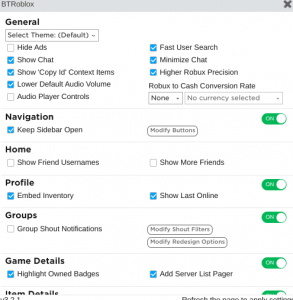
BTRoblox - Better Roblox: Often hailed as the king of Roblox UI enhancers, BTRoblox provides an extensive suite of features. It offers a comprehensive dark mode, customizable themes, improved inventory management, detailed item information, and enhanced trade offers. For many, it is the first extension they install, completely transforming the default Roblox website into a sleeker, more functional interface. Its wide array of options means you can tweak almost every visual aspect to your preference.
RoPro - Enhance Your Roblox Experience: While RoPro offers a broad range of features, its UI enhancements are particularly notable. It provides profile customization options, various aesthetic tweaks, and advanced filters for games and items. RoPro also integrates seamlessly with the Roblox platform, offering a polished and professional feel to its additional UI elements. Many users appreciate its ability to add a fresh, modern look to their Roblox pages.
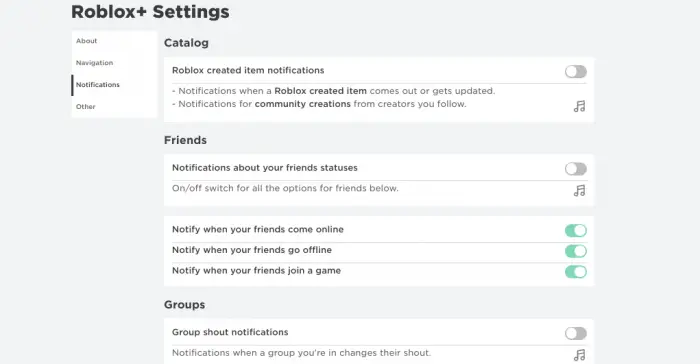
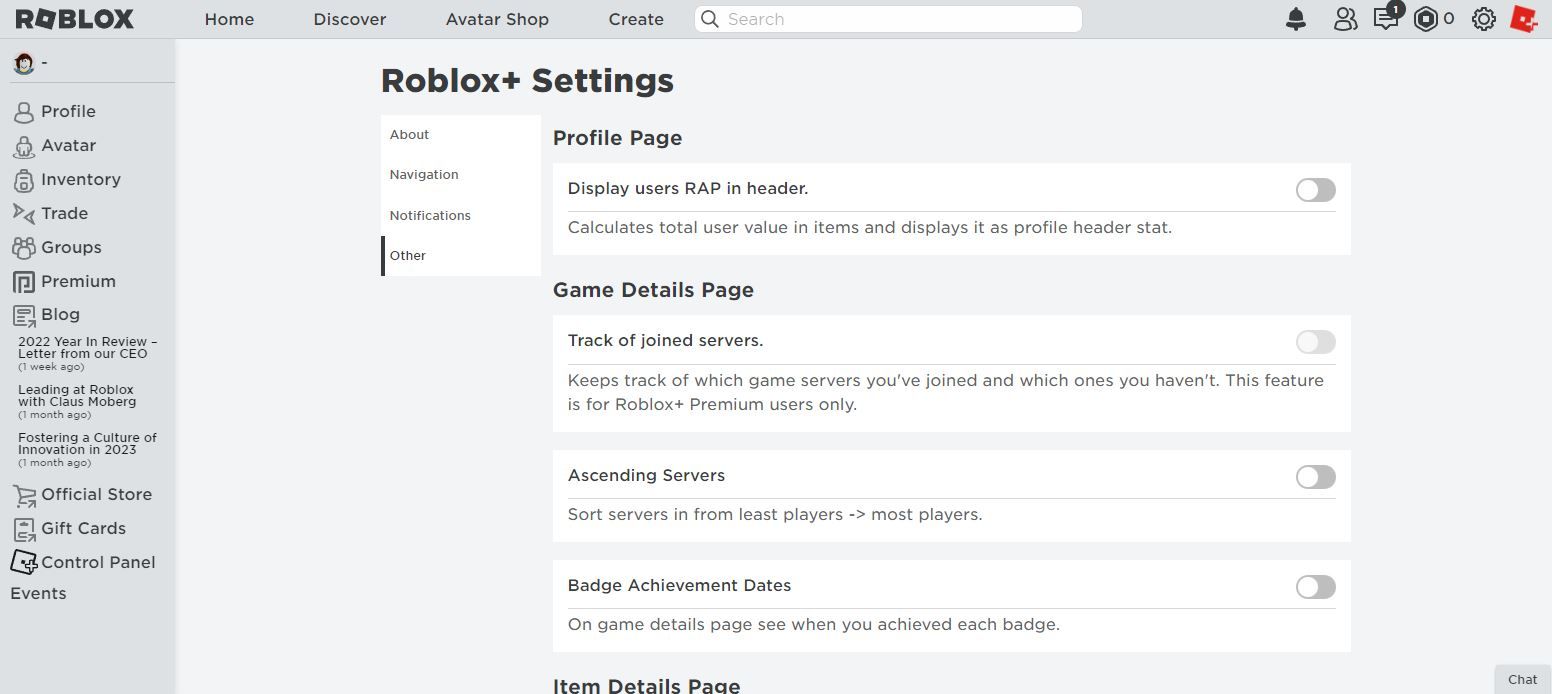
Roblox+: This classic extension, while perhaps not as feature-rich as BTRoblox in pure UI customization, still offers valuable enhancements. It includes features like server filters, item notifier, and friend request notifications, which subtly improve the user experience by providing more control and information at a glance. Its strength lies in its simplicity and effectiveness for core browsing needs.
These extensions are designed to make your time on Roblox more visually appealing and navigable, reducing strain and increasing enjoyment, especially for adult gamers who spend significant time on the platform.
Can Roblox Chrome Extensions Improve Gameplay Performance?
This is a common question among gamers, especially those looking to squeeze every bit of performance out of their systems while balancing gaming with other computer tasks. It is important to clarify that most Roblox Chrome extensions primarily focus on enhancing the *website* experience, not directly the *in-game* performance. This means they modify how the Roblox website looks and functions in your browser, adding features to marketplace pages, profiles, or game listings.
Therefore, a Roblox Chrome extension will generally *not* improve your frame rate, reduce lag within a Roblox game, or speed up loading times once you are actually playing. Those aspects are typically dependent on your internet connection, computer hardware, and the game's optimization itself. However, indirectly, a well-optimized extension might prevent your browser from becoming sluggish, which could theoretically free up system resources that might otherwise be consumed by an inefficient browser, leading to a smoother overall computing experience. Conversely, a poorly coded or resource-heavy extension *could* slow down your browser, making the entire system feel less responsive, but this is a rare occurrence with reputable extensions.
For in-game performance, focus on ensuring your PC meets Roblox's system requirements, keeping your graphics drivers updated, closing unnecessary background applications, and having a stable internet connection. Extensions are for browsing enhancement, not a magic bullet for in-game FPS.
How Can Extensions Enhance Social Interaction in Roblox?
Social interaction is a cornerstone of the Roblox experience, and Chrome extensions can significantly elevate how you connect with friends and the wider community. For gamers who prioritize social play – a growing trend with 60% of gamers enjoying multiplayer experiences – these tools are invaluable. They can streamline friend management, improve communication, and make it easier to join specific groups or servers with your buddies.
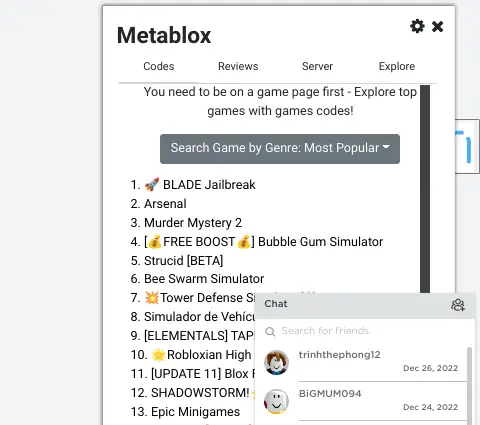
For instance, extensions like RoPro and Roblox+ often include advanced server filtering options. Instead of blindly clicking through servers, you can filter by player count, specific friends playing, or even server age, making it much easier to find an empty server for private play or locate your friends in a crowded experience. Some extensions also provide enhanced friend list management, allowing for better organization and quick access to friends' profiles or current game status. Improved notification systems ensure you do not miss a friend request or important group message, keeping you engaged with your community even when you are not actively browsing the Roblox site. This month, with social gaming being paramount, these tools are more relevant than ever for building and maintaining those vital online connections.
What Common Problems Do Roblox Chrome Extensions Solve?
Roblox Chrome extensions are problem-solvers, specifically targeting common frustrations and limitations users encounter on the default Roblox platform. For busy gamers, these solutions translate directly into time saved and a more enjoyable experience. Here are some key problems they address:
Lack of UI Customization: The default Roblox interface can feel bland. Extensions like BTRoblox allow for extensive customization, including dark modes, custom themes, and redesigned elements, making the site more visually appealing and comfortable for prolonged use.
Inefficient Inventory Management: Managing a large Roblox inventory can be tedious. Extensions provide advanced filters, quick sorting options, and better visual organization, helping you find and manage your items with ease.
Poor Game Discovery: With millions of experiences, finding new, high-quality games or specific servers can be a chore. Extensions offer enhanced search and filtering capabilities, allowing you to quickly pinpoint games based on specific criteria, player count, or even friends playing.
Limited Trading Insights: For traders, understanding item values and market trends is crucial. Extensions like RoPro and RoGold provide historical data, trade value calculators, and notification systems, empowering users to make smarter trading decisions and avoid scams.
Basic Profile and Group Features: Extensions often add features like custom profile backgrounds, more detailed group statistics, and improved interaction tools, allowing for richer self-expression and community engagement.
Lack of Convenience Features: Simple quality-of-life additions, such as quick access to frequently visited pages, improved friend request management, or custom notifications, are often integrated into extensions, making the overall browsing experience much smoother.
By solving these common frustrations, extensions allow gamers to focus on the fun aspects of Roblox, rather than battling with a restrictive interface.
Are There Any Roblox Chrome Extensions for Budgeting or Tracking Robux?
Yes, absolutely! For the savvy gamer who values money and wants to keep an eye on their in-game currency, certain Roblox Chrome extensions can be incredibly helpful for budgeting and tracking Robux. Managing virtual currencies effectively is a smart move, especially when balancing personal finances and gaming expenses.
Extensions like RoPro and BTRoblox - Better Roblox often include features that give you better insights into your Robux transactions and holdings. For instance, they might:
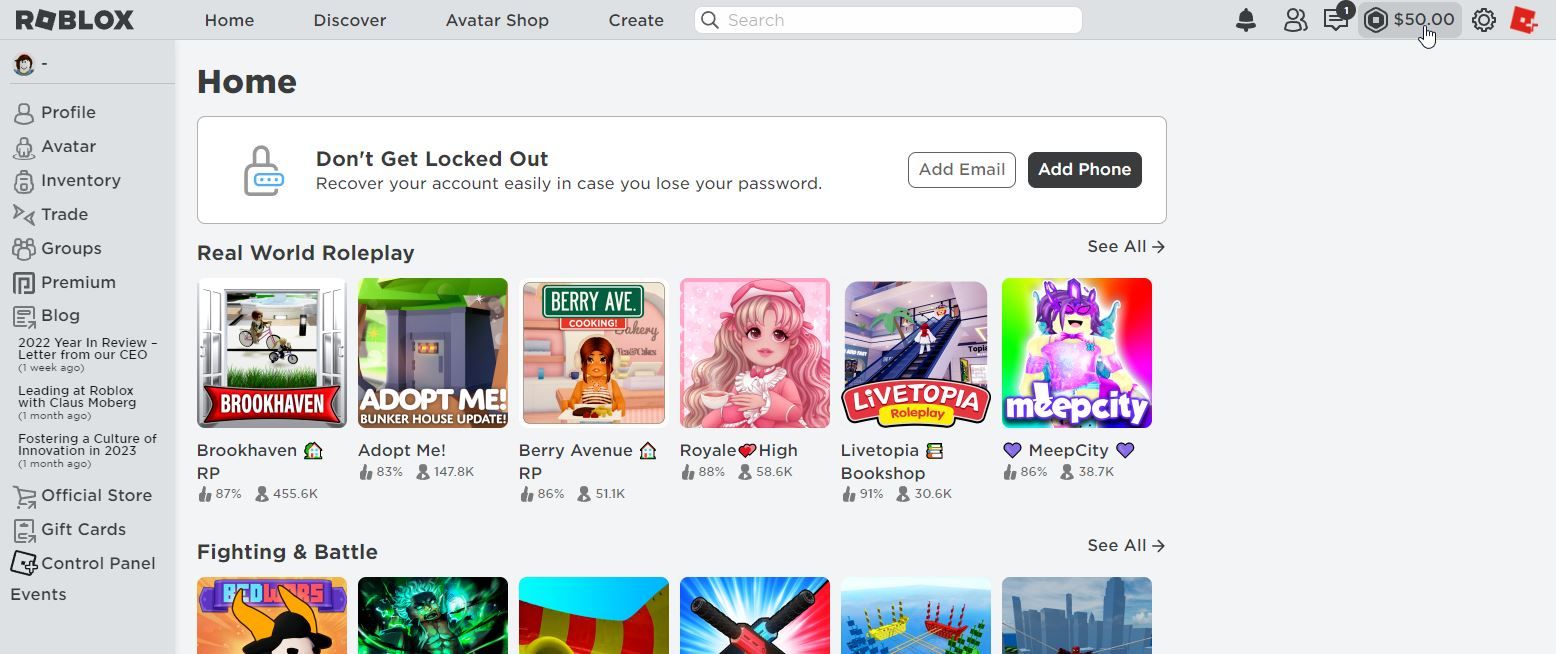
- Display your exact Robux balance in real-time, sometimes with a more prominent or easily accessible display than the default UI.
- Provide historical data on Robux spent and earned, allowing you to review your past transactions and identify spending patterns.
- Offer estimated values for items in your inventory or marketplace listings, helping you make informed purchasing or trading decisions.
- Include tools that flag potentially overpriced items or alert you to good deals, ensuring you get more value for your Robux.
While these extensions do not directly manage your bank account, they provide the visibility and analytical tools within the Roblox ecosystem that empower you to make smarter financial decisions regarding your Robux. This is crucial for adult gamers who need to stay on budget and maximize their entertainment value without overspending.
How Do I Troubleshoot Issues with Roblox Chrome Extensions?
Even the most reliable Roblox Chrome extensions can occasionally run into hiccups. When an extension is not working as expected, or if you suspect it is causing problems with your browser or Roblox, a systematic troubleshooting approach can quickly resolve most issues. Here is a step-by-step guide:
Restart Chrome: Often, a simple browser restart can clear temporary glitches. Close all Chrome windows and reopen them.
Disable and Re-enable the Extension: Go to `chrome://extensions` in your browser. Find the problematic extension, toggle it off, wait a few seconds, and then toggle it back on. This refreshes the extension's script.
Clear Browser Cache and Cookies: Sometimes, corrupted cache data can interfere with extensions. Go to Chrome Settings > Privacy and Security > Clear browsing data. Select 'Cached images and files' and 'Cookies and other site data' (you might want to choose a time range like 'Last 24 hours' to avoid clearing everything). Then, restart Chrome.
Update the Extension: Ensure your extension is up-to-date. In `chrome://extensions`, enable 'Developer mode' (usually a toggle in the top right), then click 'Update' at the top left. This forces all extensions to check for updates.
Update Chrome: Make sure your Chrome browser itself is running the latest version. Go to Chrome Settings > About Chrome to check for updates.
Test in Incognito Mode: Open an Incognito window. Most extensions are disabled by default here. If Roblox works fine, an extension is likely the culprit. You can selectively enable extensions in Incognito via `chrome://extensions` to pinpoint the problematic one.
Disable Other Extensions: If you have multiple extensions, they can sometimes conflict. Disable all Roblox-related extensions except the one you are testing. If the issue resolves, re-enable them one by one to find the conflicting one.
Reinstall the Extension: As a last resort, remove the problematic extension (`chrome://extensions` > Remove) and then reinstall it from the Chrome Web Store. This ensures you have a fresh, clean installation.
Following these steps will help you diagnose and fix most common issues, getting you back to an optimized Roblox experience quickly.
What Are Some Trending Roblox Chrome Extensions This Month?
Staying current with what is trending in the Roblox extension space can give you a fresh perspective and access to the latest tools that other gamers are finding valuable. This month, several Roblox Chrome extensions are gaining traction due to new features, updates, or a surge in user interest, particularly reflecting the ongoing trends in social gaming and creator engagement.
RoGold - Roblox Extension: RoGold is consistently trending for its focus on trading enhancements, group tools, and detailed game page insights. Its recent updates have improved its Robux tracking and provided more robust features for managing large groups, appealing to both serious traders and community leaders. Users are loving its intuitive interface for quickly assessing trade values and monitoring item fluctuations.
BloxMate - Roblox Enhancer: While newer to some, BloxMate is rapidly climbing in popularity. It offers a blend of UI improvements (like a slicker dark mode), advanced game filters, and unique features for tracking game playtime and statistics. Gamers are finding it particularly useful for deeper insights into their favorite experiences and managing their gaming habits.
Roblox Quick Search: This extension is a niche but highly trending tool that provides an extremely fast and efficient search bar specifically for Roblox games and items. For those who hate navigating multiple menus, this extension offers instant access to search results directly from their Chrome toolbar, saving precious time for busy players.
RoStalker - Roblox Profile & Server History: Appealing to the more curious or analytical gamer, RoStalker is trending for its ability to track detailed player profile changes and server histories. While it raises some privacy considerations, it is popular for its informational value, allowing users to see historical data that is otherwise unavailable, particularly useful for content creators or community managers.
These trending extensions reflect a demand for deeper insights, greater efficiency, and more control over the Roblox experience, aligning perfectly with the needs of the discerning adult gamer.
As we wrap up our deep dive into Roblox Chrome extensions, it is clear these tools are more than just simple add-ons; they are essential companions for the modern gamer. Whether you are balancing family life with epic quests, optimizing your Robux spending, or simply seeking a more visually appealing interface, extensions offer practical, real-world solutions. They empower you to tailor your Roblox experience, save precious time, and connect more effectively with the vast community. By choosing reputable extensions and staying informed, you are not just playing Roblox; you are curating a personalized, efficient, and deeply enjoyable gaming journey. What's your biggest gaming challenge that a Roblox extension could solve? Comment below and share your thoughts!
FAQ Section
Are all Roblox extensions free?
Most popular and useful Roblox Chrome extensions are free, though some might offer premium features or donations. Always check the Chrome Web Store for pricing details before installing.
Can extensions get my Roblox account banned?
Using third-party software that modifies gameplay can potentially violate Roblox's Terms of Service. Stick to reputable extensions that primarily enhance UI or provide informational overlays, and always exercise caution.
How do I remove a Roblox Chrome extension?
To remove an extension, open Chrome, type "chrome://extensions" in the address bar, find the extension, and click "Remove." This simple step can resolve conflicts or performance issues.
Do Roblox extensions work on mobile?
No, Chrome extensions are designed for the desktop version of the Google Chrome browser and do not typically function on mobile devices or within the Roblox mobile app.
Do extensions impact my privacy?
Some extensions request permissions to read or change data on websites. Always review these permissions carefully before installing. Stick to well-known extensions from the official Chrome Web Store to minimize privacy risks.
Can I use multiple Roblox extensions at once?
Yes, you can typically use multiple Roblox Chrome extensions simultaneously. However, be aware that too many extensions or conflicting features from different extensions can sometimes cause performance issues or unexpected behavior. If problems arise, try disabling extensions one by one to identify the culprit.
Enhanced Roblox UI customization, Improved trading and market insights, Safe extension installation practices, Performance optimization tips, Streamlined game discovery, Better social interaction tools, Robux management features, Troubleshooting common extension issues, Top trending Roblox extensions.
35

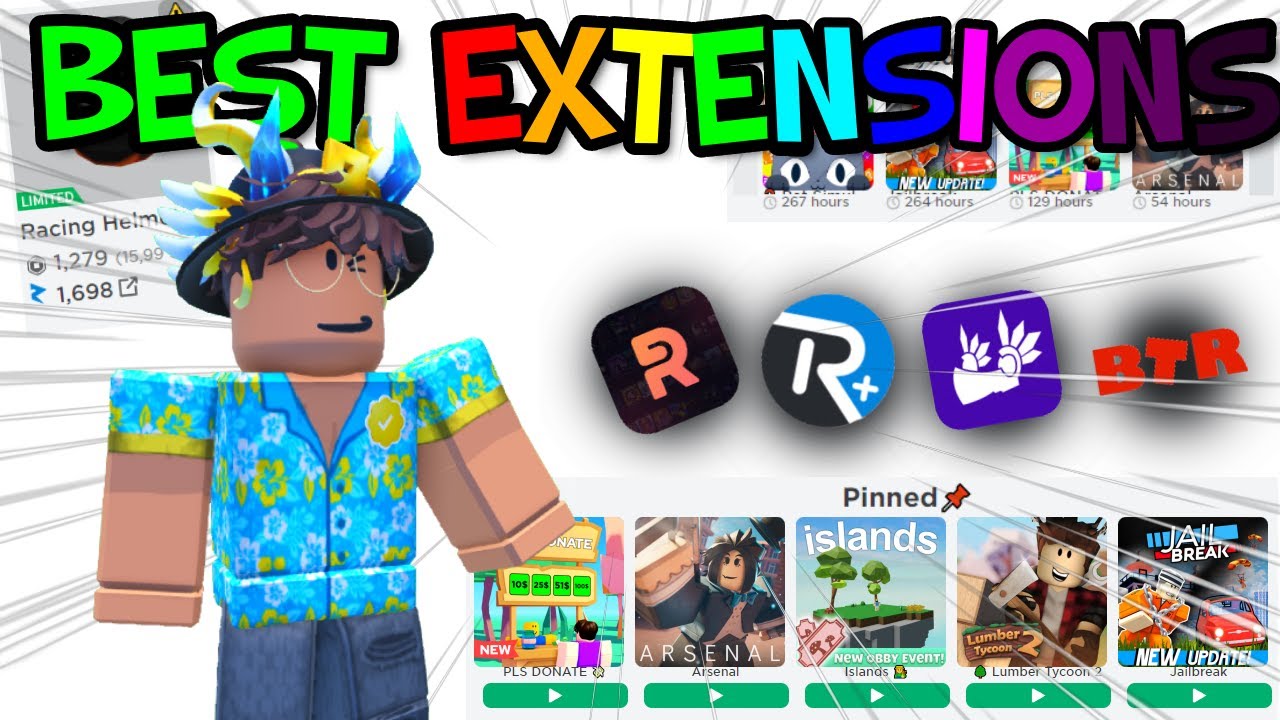
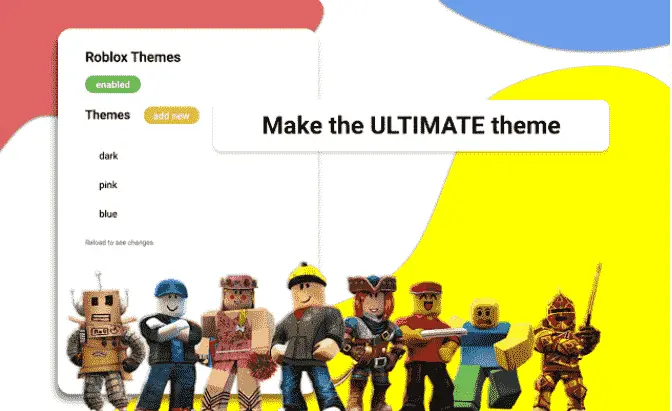

Best Roblox Chrome Extensions 2025 Guide YouTube . BEST Roblox Chrome EXTENSIONS YouTube . The BEST Roblox CHROME Extensions YouTube . 10 Best Roblox Chrome Extensions To Know 2026 Roblox Themes.JPG Min . Best Roblox Chrome Extensions You Need YouTube Oar2


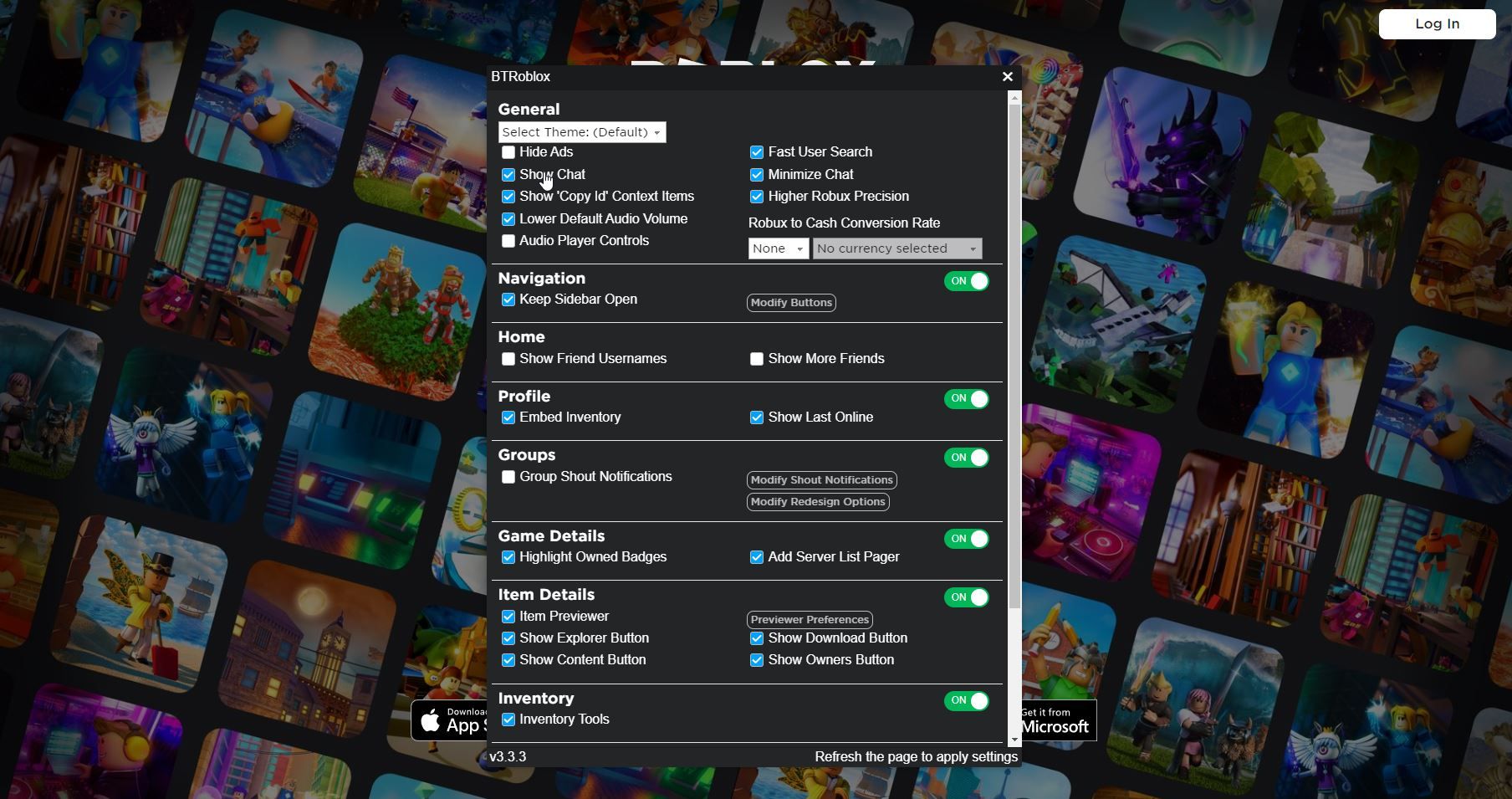
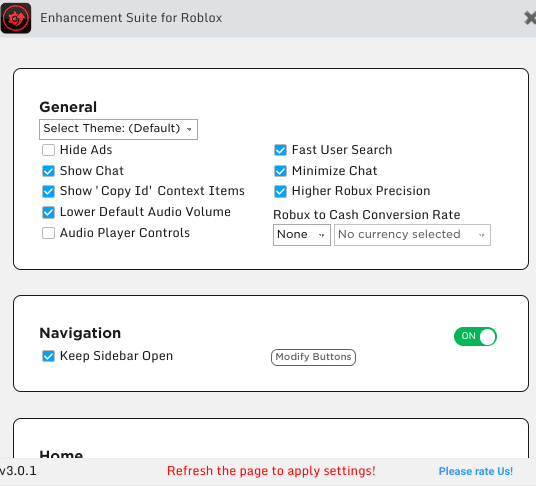
The BEST Roblox Extensions For Google Chrome YouTube . GOOD Roblox Chrome Extensions YOU NEED THIS YouTube . The 6 Best Chrome Extensions To Enhance Roblox Btroblox Chrome Extensions Screenshot . 10 Best Roblox Chrome Extensions To Know 2026 ESR Min . Roblox For Chrome Download Is It Possible In 2026

10 Best Roblox Chrome Extensions To Know 2026 Regold Min . The 6 Best Chrome Extensions To Enhance Roblox Robux To Usd Chrome Extensions Screenshot . Enhancing Roblox A Guide To Chrome Extensions For Gamers Image. 10 Best Roblox Chrome Extensions To Know 2026 Metablox1 Min . Extensions Roblox Roblox Here It Is Part 2 Of Our First Official
10 Best Roblox Chrome Extensions To Know 2026 Roblox Setting Min 700x364 . 10 Best Roblox Chrome Extensions To Know 2026 BTROBLOX Min 293x300 . 10 Best Roblox Chrome Extensions To Know 2026 Dashblox Min 700x414 . 10 Best Roblox Chrome Extensions To Know 2026 Roblox Chrome Extensions 1568x882 . 15 Best Chrome Extensions For 2026 To Transform How You Work 15 Best Chrome Extensions For 2026 1024x538
5 Best Chrome Extensions For Roblox Guiding Tech Best Chrome Extensions For Roblox 1 . The 6 Best Chrome Extensions To Enhance Roblox Roblox Oberon Copeland Unsplash . How To Play Roblox On Chromebook In 2026 Performance Setup Roblox. 35 Best Chrome Extensions For In 2026 ChatGPT Image Apr 6 2026 10 26 38 PM 1. 10 Best Roblox Chrome Extensions To Know 2026 RoPro Settings Min 700x407




The 6 Best Chrome Extensions To Enhance Roblox TechYorker SL160 . 5 Best Chrome Extensions For Roblox Design.com Vs Tailor Brands 1 . The 6 Best Chrome Extensions To Enhance Roblox TechYorker 21aoUPG3svL . SL160 . 5 Best Chrome Extensions For Roblox Best Face Search . Top Chrome Extensions For Roblox Gamers Zawa 1

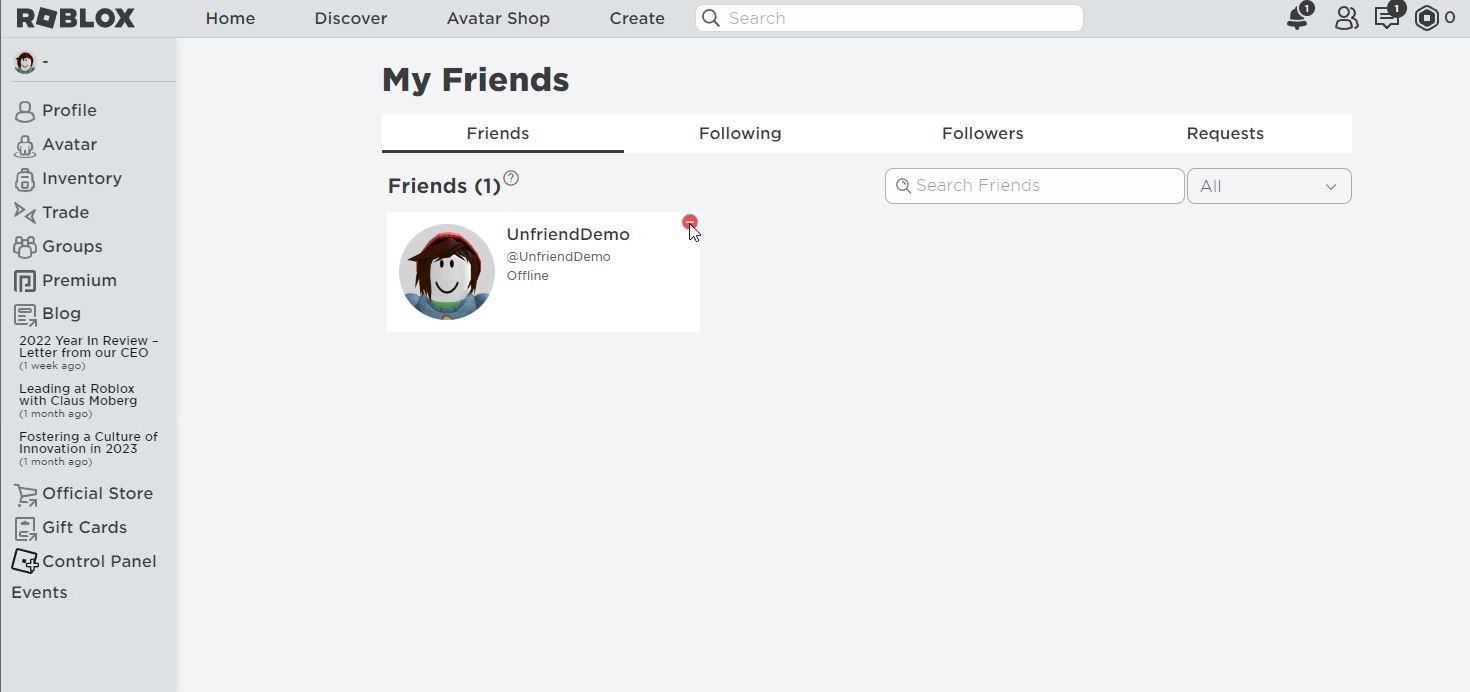
15 Chrome Extensions 2026 Guide Features Deals 15best Chrome Extensions For 2023 . 10 Best Roblox Chrome Extensions To Know 2026 Roblox Redeem Codes 1536x864 . The 6 Best Chrome Extensions To Enhance Roblox Roblox Chrome Extensions Screenshot . Enhancing Roblox A Guide To Chrome Extensions For Gamers Image. The 6 Best Chrome Extensions To Enhance Roblox Roblox Friend Removal Button Chrome Extensions Screenshot 1